flowchart LR
  A[Write code] --> B(Source Code)
  B --> C{Execute code}
  C --> D[Output]
  C --> E[Output]
  C --> F[Output]
Unrecorded user actions
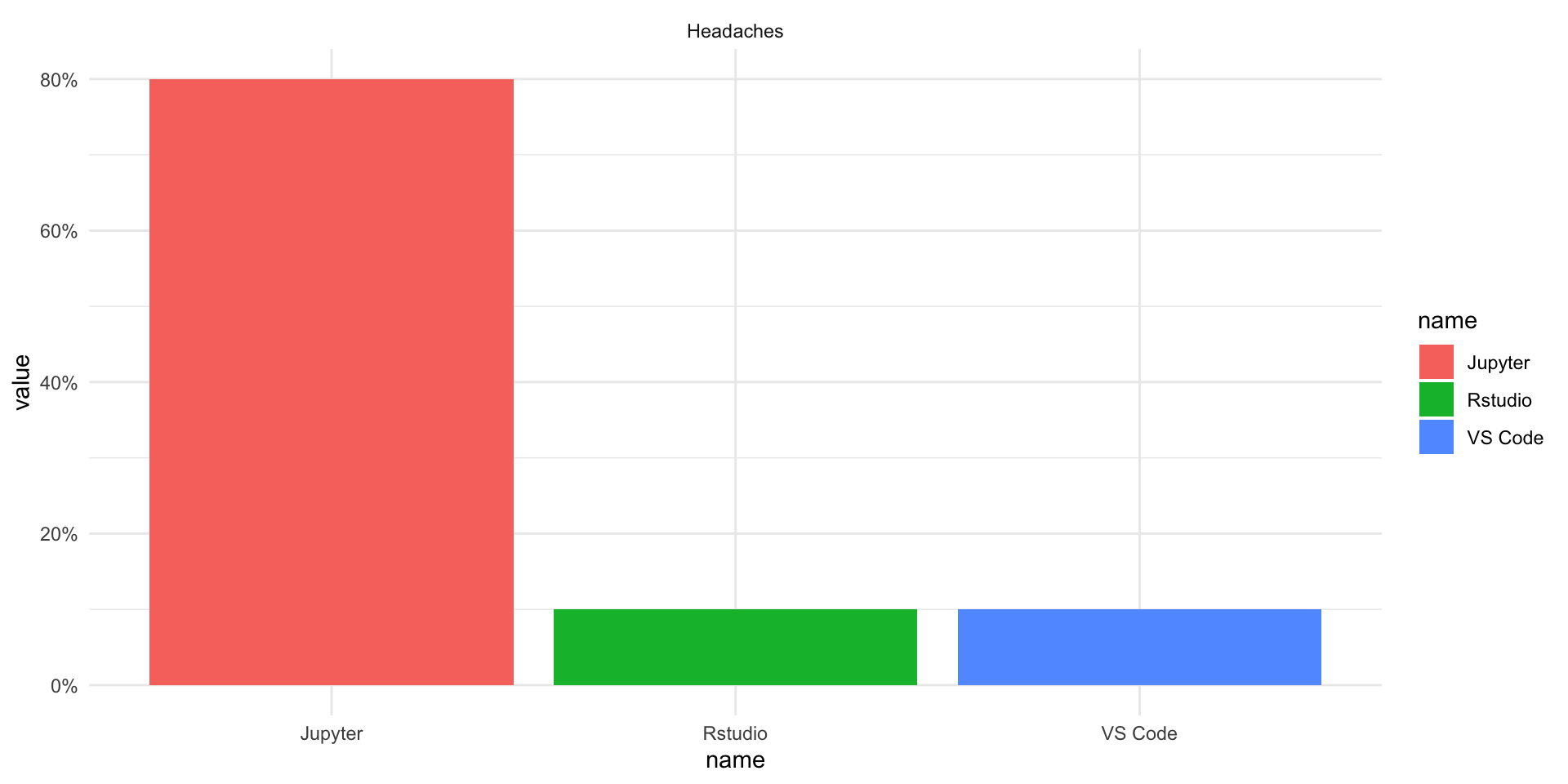
Your code can bork your editor
Integrations with other computer systems
“Can I get a quick code review please?”
flowchart LR
A[Write code] --> B(Source Code)
B --> C{Execute code}
C --> D[Output]
C --> E[Output]
C --> F[Output]
flowchart LR
  A[Write code] --> B(Code/output)
  B --> C{Run chunks}
  C --> B
Rmarkdown took a different approach to notebooks
flowchart LR
  A[Write .Rmd] --> B(Source document)
  B --> C{Render}
  C --> F(Pdf)
  C --> G(html)
  C --> H(Markdown)
flowchart LR
  B(.qmd document)
  B --> C{Render}
  C --> F(Markdown)
  F --> G{Pandoc}
  G --> H(Output format)
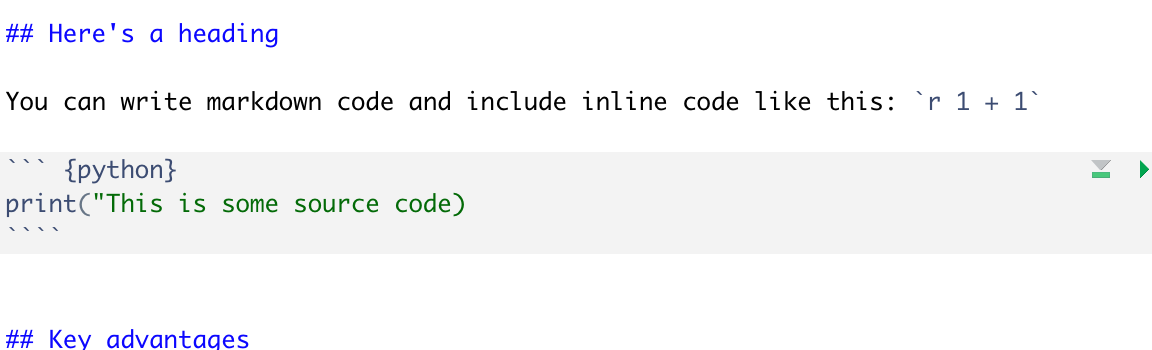
You can write markdown code and include inline code like this: 2
This is some source codeYou don’t need to abandon Jupyter to start using quarto
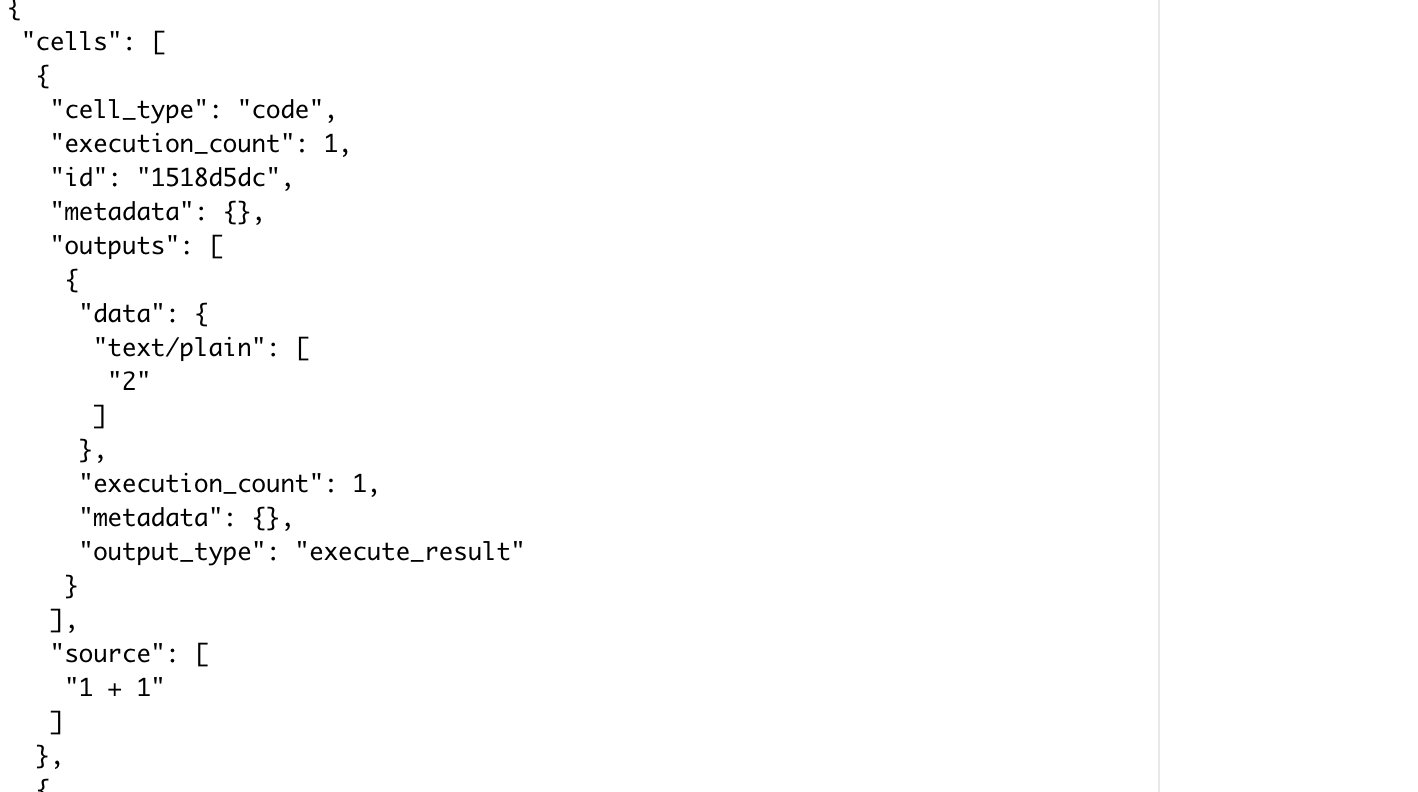
quarto render Untitled.ipynb to render a Jupyter notebookquarto preview Untitled.ipynb live previews Jupyter Notebookquarto convert Untitled.ipynb converts ipynb to qmdquarto convert Untitled.qmd converts qmd to ipynb.qmd format.qmd + requirements.txt files with other programmers